Oracle
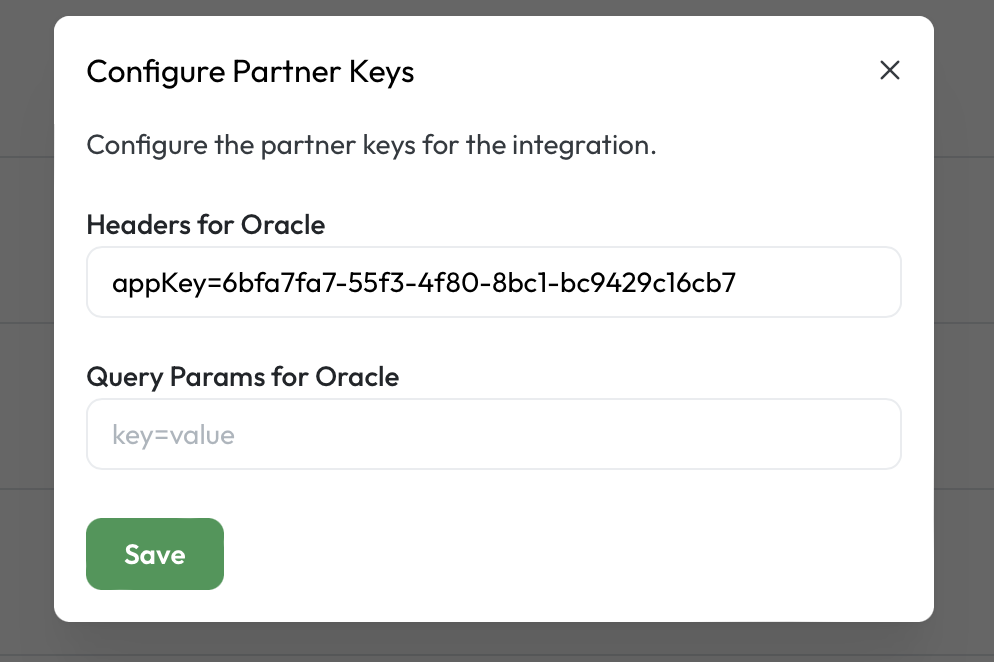
How to Add you appKey in calry dashboard
Go to the Applications page in your Oracle Hospitality
Developer Portal and fetch the appKey.
Then, navigate to Settings → Integrations in the Oracle integration and paste the appKey into the headers section as appKey=YOUR_APP_KEY.
Adding the customer's environment to your Oracle Hospitality Developer Portal
In your Oracle Hospitality Developer Portal, click on ‘Environments’ from the top menu and then click on ‘Add Environment’.
Now please add the user's Enterprise ID , Chain code and Region.
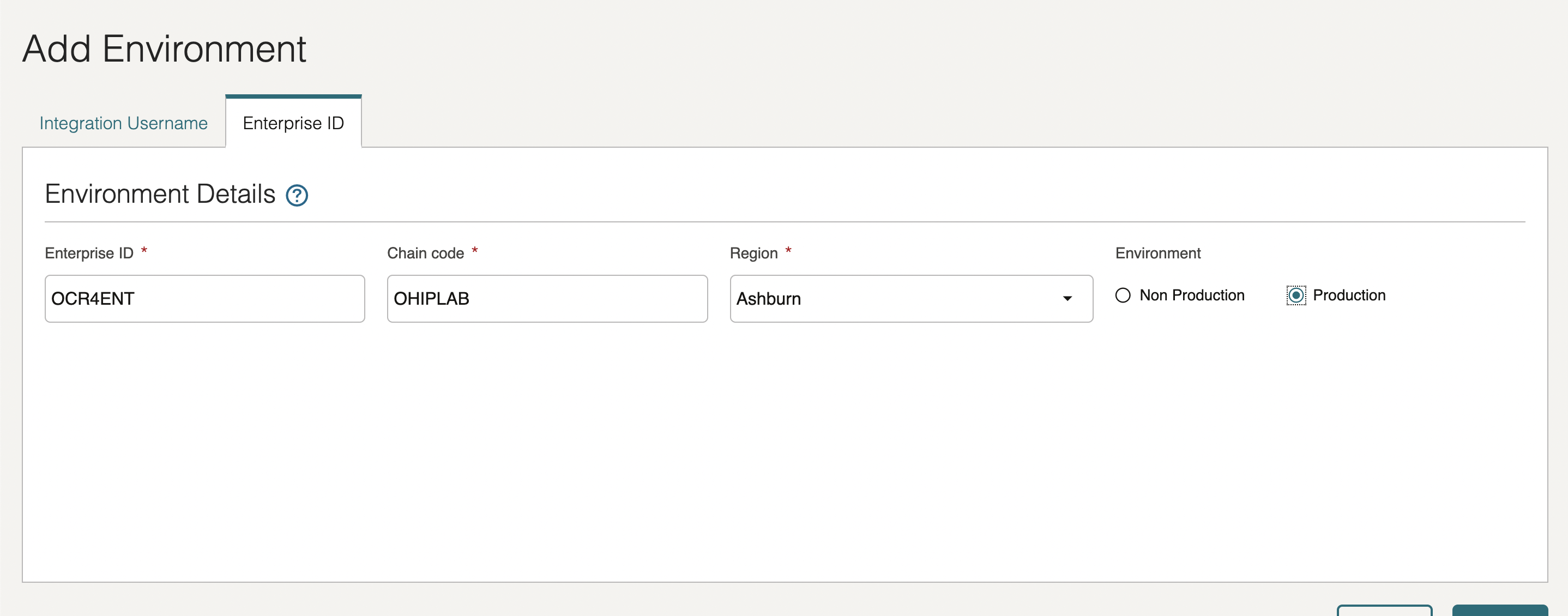
Now once it is added you should be seeing the clientId, clientSecret, hotelId, gatewayUrl on the environments page for this particular enterprise.
Paste it back on your calry Authentication Screen and Click on ‘Connect’. You will see a message box that shows you’ve successfully authenticated the integration.
If you have any questions or need help, don't hesitate to reach out at mail@calry.app.